Overview
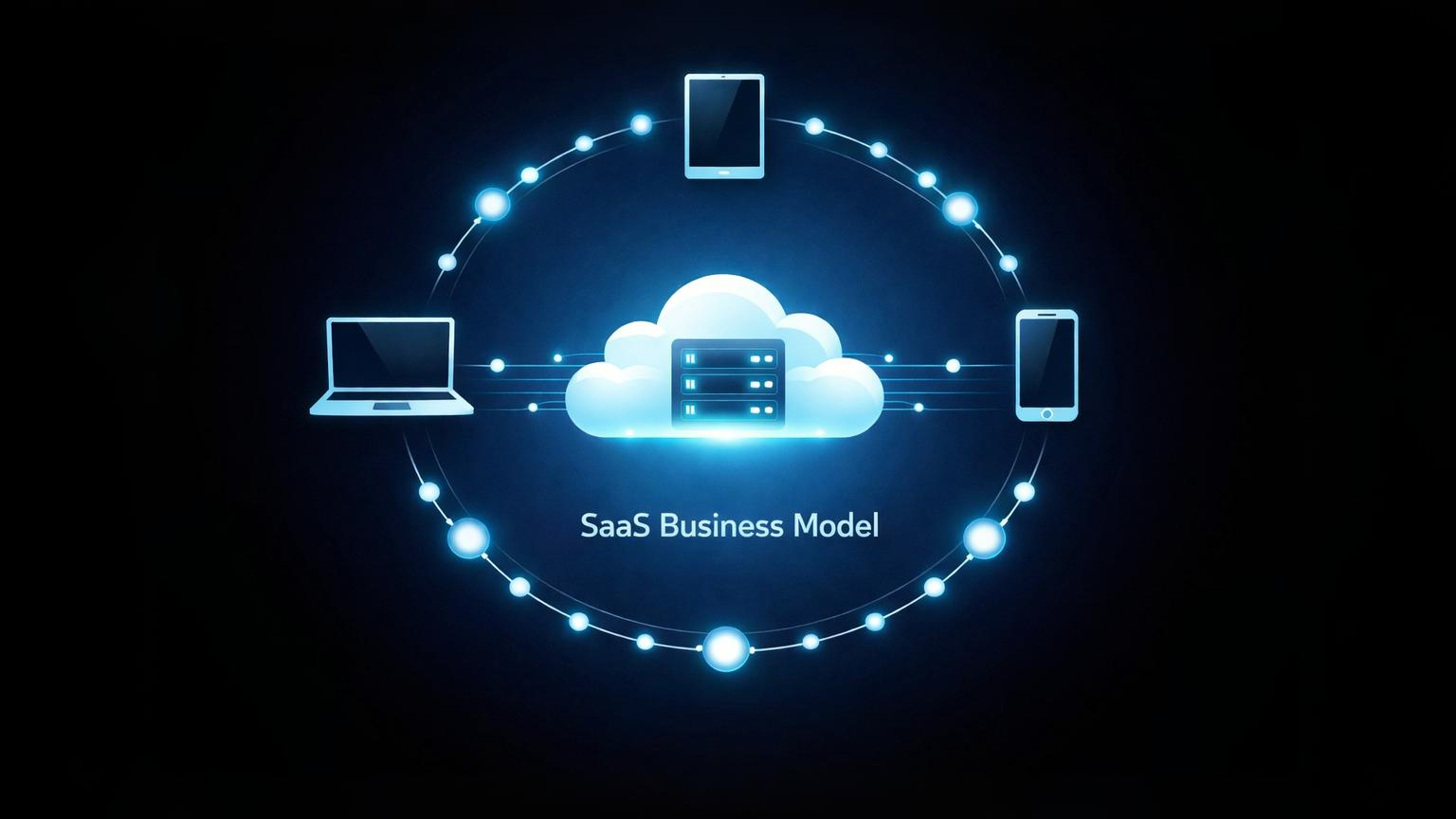
Software-as-a-service is a cloud-based delivery system where users access applications through subscription payments rather than purchasing and installing software locally.
The Software-as-a-Service model—or SaaS—flips traditional software ownership on its head. Instead of buying a program once and installing it on your computer, you pay a recurring fee to access software that lives on someone else's servers. You log in through a browser or app, use what you need, and the vendor handles everything else: updates, security, storage, maintenance.
It's not about owning software anymore. It's about accessing it.
This distinction matters because it fundamentally changes how software companies operate and how businesses budget for technology. The SaaS model eliminates the need for expensive IT infrastructure on the customer's end while creating predictable revenue streams for vendors. But it also introduces dependencies, ongoing costs, and questions about data ownership that didn't exist with traditional software.
What SaaS Actually Means
SaaS stands for Software-as-a-Service, and the name tells you most of what you need to know. The software is delivered as a service—continuously, over the internet, rather than as a one-time product you install and own.
Here's the core setup: a company builds software and hosts it on cloud infrastructure. Customers don't download anything to their computers. They create an account, pay a subscription fee (usually monthly or annual), and access the software through a web browser or dedicated app. The vendor maintains the servers, handles updates, fixes bugs, and keeps everything running behind the scenes.
Traditional software worked differently. You'd buy a license, install the program on your machine, and you were responsible for updates, compatibility, and storage. If something broke, you dealt with it. If you wanted new features, you bought a new version.
With SaaS, the vendor does that work. They update the software for everyone at once. They ensure it works on different devices. They back up your data. In exchange, you pay them regularly instead of once.
Think of it like renting an apartment versus buying a house. You don't own the apartment, but you also don't fix the roof when it leaks.
How the SaaS Business Model Works
The SaaS business model operates on three interconnected pillars: how it makes money, how it delivers the service, and how it maintains customer relationships. Each one shapes the others.
Revenue Structure
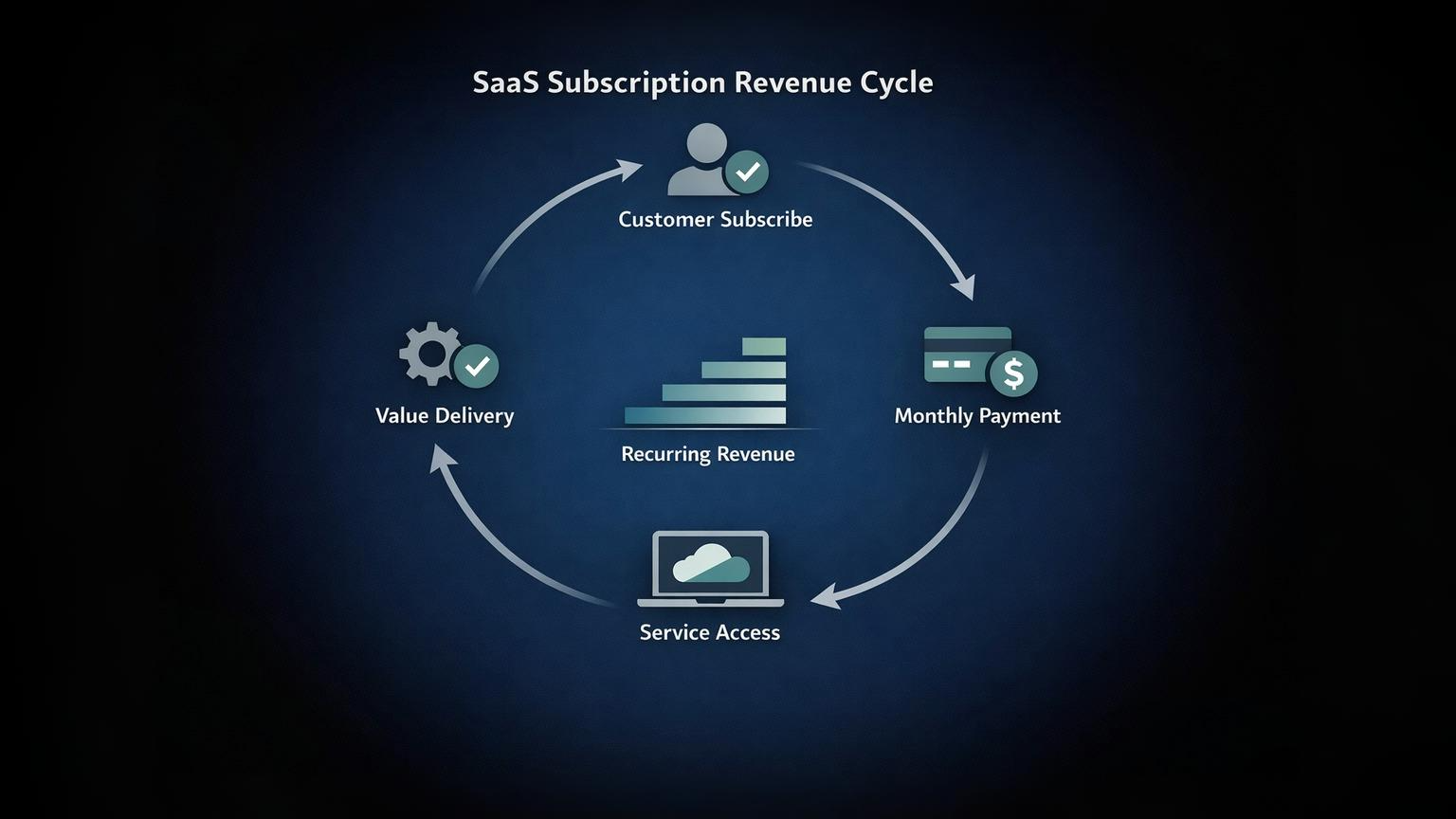
SaaS companies earn money through subscriptions. This is the defining economic feature of the model.
Most SaaS businesses use monthly recurring revenue (MRR) or annual recurring revenue (ARR). Customers pay a set fee each billing period to maintain access. Some companies offer both monthly and annual plans, often with a discount for annual commitments to encourage longer retention.
Pricing typically comes in a few forms:
- Flat-rate subscriptions charge everyone the same regardless of usage—you get full access for one price.
- Per-user pricing scales with the number of people using the software, common in team collaboration tools.
- Usage-based or metered billing charges based on how much you actually use the service, like storage consumed or API calls made.
- Tiered pricing offers different feature sets at different price points—basic, professional, enterprise.
Many SaaS companies also use freemium models, where basic features are free and advanced capabilities require payment. This lowers the barrier to entry and lets users experience value before committing financially.
The subscription model creates predictable, recurring revenue. Unlike one-time software sales where income spikes at launch and then drops, SaaS companies can forecast monthly income based on their customer base. This predictability is attractive to investors and makes business planning more reliable.
Service Delivery
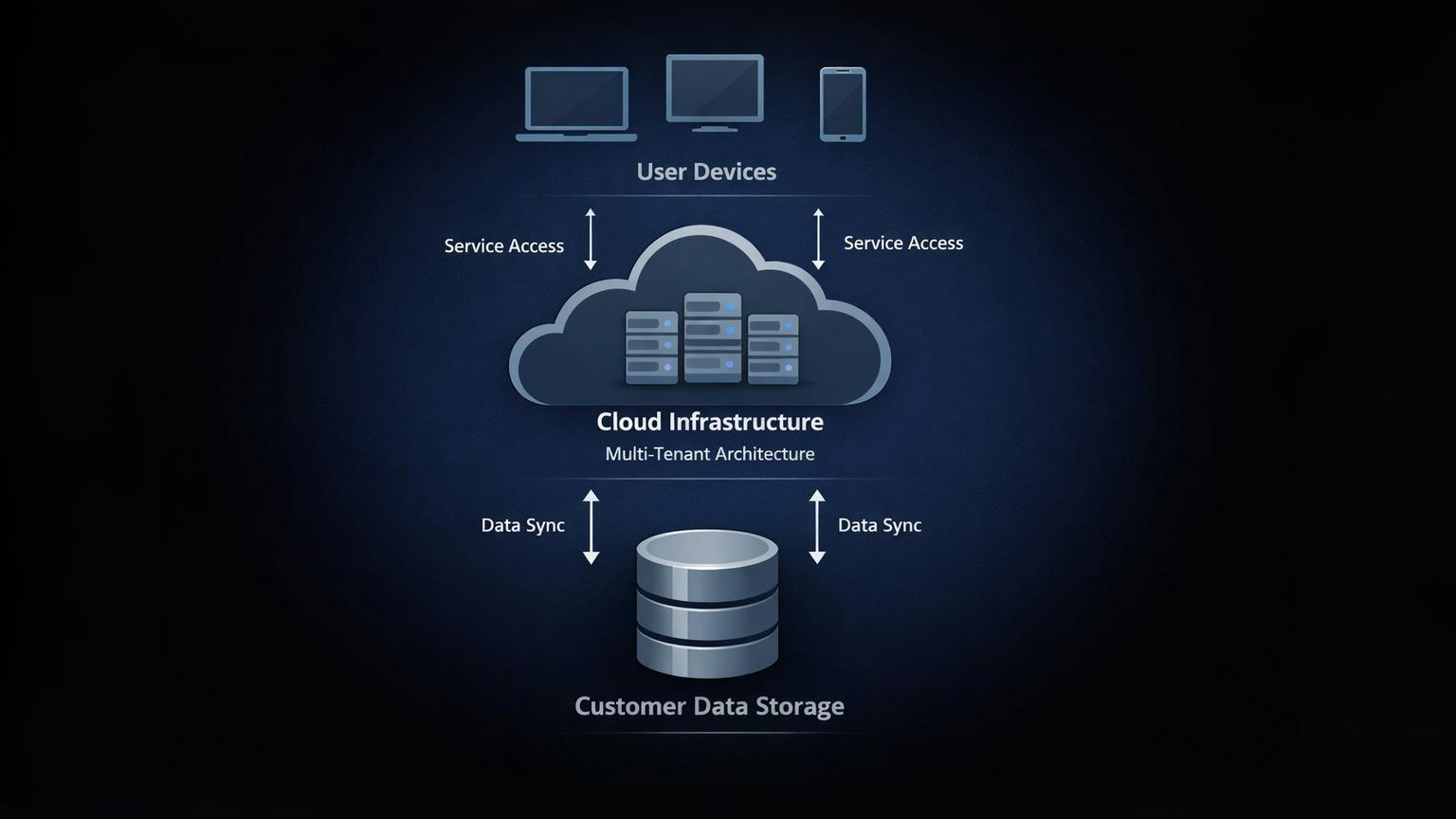
SaaS products are hosted on cloud infrastructure—typically using providers like Amazon Web Services, Microsoft Azure, or Google Cloud Platform. The vendor maintains servers, manages data storage, ensures security, and handles all the technical backend work that keeps the software running.
Most SaaS products use multi-tenant architecture. This means multiple customers share the same infrastructure and application, though their data remains separate. It's like living in an apartment building—everyone shares the same building structure, but each apartment is private. This approach is more cost-effective than giving each customer their own dedicated server.
Updates happen automatically and centrally. When the vendor improves the software or fixes a bug, the change applies to all users simultaneously. Nobody downloads patches or installs updates manually. You log in one day and the software has new features or improvements.
Accessibility is another key feature. Because the software runs in the cloud and users access it through browsers or apps, it's available 24/7 from anywhere with an internet connection. You can work from different devices—laptop, tablet, phone—and your data stays synchronized because it's stored on the vendor's servers, not your local machine.
Customer Relationship
The SaaS model creates an ongoing relationship between vendor and customer rather than a one-time transaction. The customer doesn't just buy software and walk away—they maintain an active subscription that requires continuous value delivery.
This ongoing relationship means vendors are incentivized to keep customers satisfied. If users don't see value, they cancel their subscriptions and revenue disappears. This drives SaaS companies to invest heavily in customer success, support teams, and continuous product improvement.
Contracts typically renew automatically unless the customer actively cancels. Monthly subscriptions renew each month; annual subscriptions renew each year. This automation benefits vendors (reduces churn from passive users) and can benefit customers (no interruption in service), though it also means users need to actively monitor their subscriptions to avoid paying for services they no longer use.
Why Businesses Use This Model
The SaaS model offers distinct advantages that explain its widespread adoption—for both vendors and customers.
For vendors, recurring revenue is the primary draw. Instead of earning money once per customer, they earn it monthly or annually as long as customers remain subscribed. This creates more stable, predictable cash flow compared to traditional software sales.
Customers benefit from lower upfront costs. Instead of paying thousands of dollars for a software license plus implementation and infrastructure, they pay a smaller monthly fee. This makes sophisticated software accessible to small businesses that couldn't afford large capital expenditures.
The IT burden shifts to the vendor. Customers don't need to maintain servers, apply security patches, or troubleshoot technical issues. They also don't need specialized IT staff to manage the software. For small businesses especially, this represents significant savings in time and expertise.
Scalability is built into the model. Need to add more users? Upgrade your plan. Need fewer? Downgrade. This flexibility allows businesses to adjust software costs as they grow or contract, rather than being locked into purchased licenses that can't be easily changed.
Deployment happens faster than traditional software. There's no installation process, no compatibility testing across different systems, no infrastructure setup. Create an account, configure settings, and start using the software—often the same day.
This rapid, low-cost deployment is especially powerful for new founders and student teams. For example, cloud computing enables youth-led projects to launch products without owning servers or IT infrastructure, making SaaS tools a natural starting point for early-stage innovation.
How SaaS Differs From Traditional Software
The differences between SaaS and traditional software extend beyond just delivery method.
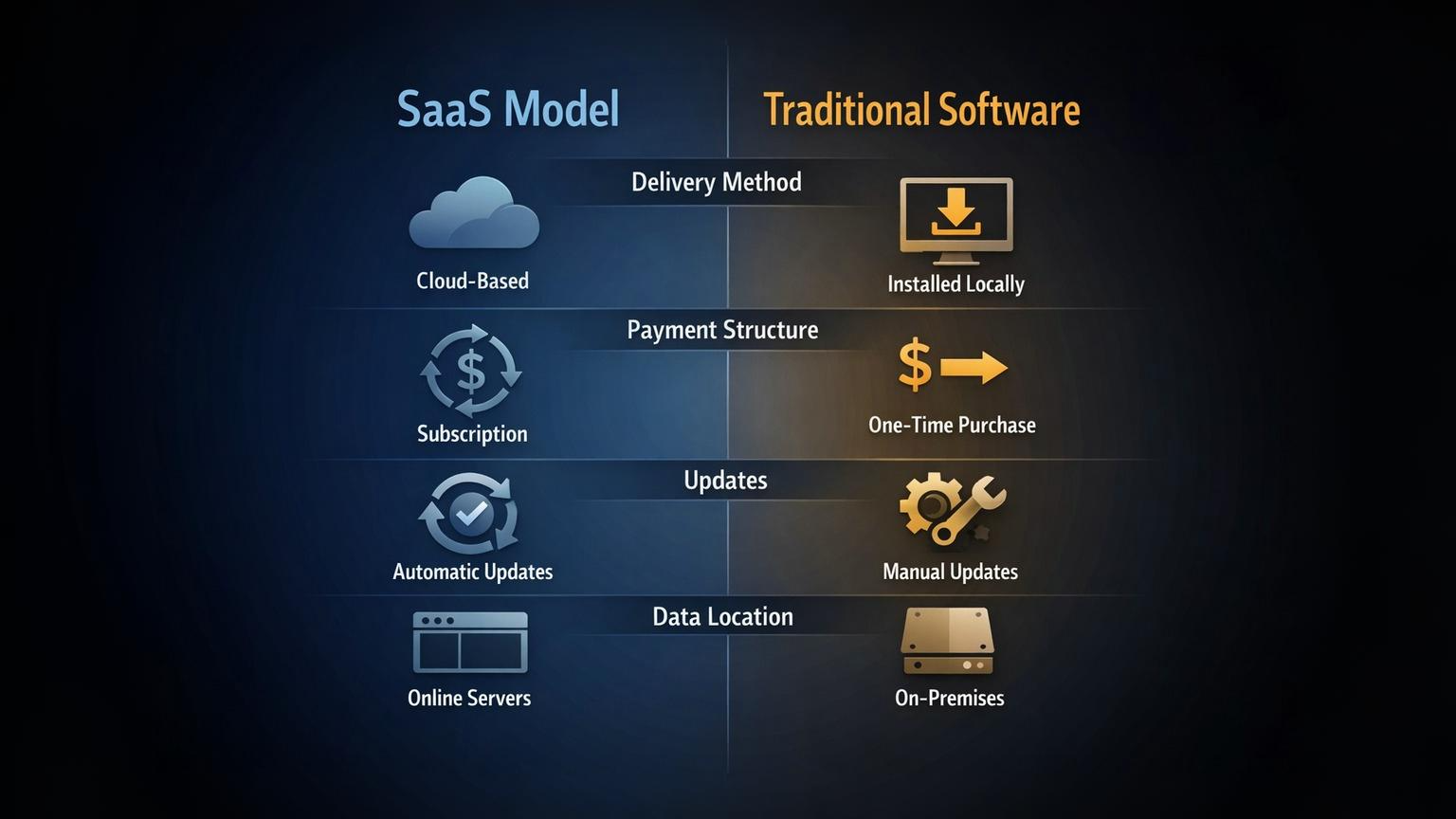
Ownership versus access rights: When you buy traditional software, you own a license to use that specific version indefinitely. With SaaS, you're renting access for as long as you pay the subscription. Stop paying and you lose access to both the software and potentially your data.
Payment structure: Traditional software requires large upfront payment for a license, then optional payments for upgrades. SaaS requires small, ongoing payments. Over time, SaaS might cost more, but the distribution of costs is different—monthly expenses versus major capital expenditures.
Deployment and maintenance: Traditional software gets installed on your computers, requiring hardware that meets system requirements, unlike cloud-based infrastructure models. You manage backups, apply updates, and fix problems. SaaS runs on the vendor's infrastructure—they handle deployment, maintenance, backups, and updates. You just access it.
Updates and upgrades: With traditional software, you control when (or if) to update. New versions often cost money, and you can choose to stay on older versions. SaaS updates automatically. Everyone gets the same version at the same time. You don't control the update schedule.
This automatic update system has pros and cons. It ensures everyone has the latest features and security patches, but it also means you can't avoid changes you dislike or need time to adapt to new interfaces.
Common SaaS Pricing Approaches
SaaS companies structure their pricing in several standard ways, often combining multiple approaches.
Flat-rate subscription offers unlimited access to all features for a single price. This simplicity appeals to customers who want predictable costs and vendors who want straightforward billing. However, it doesn't scale well—heavy users and light users pay the same amount.
Per-user pricing charges based on the number of people using the software. Team collaboration tools commonly use this model. It scales with customer growth, but it can discourage broader adoption within organizations trying to control costs.
Usage-based or metered billing charges for actual consumption—gigabytes of storage, number of emails sent, API requests made. This model directly ties cost to value received, making it fair for customers with variable needs. However, it creates unpredictable bills that some businesses dislike.
Freemium models provide basic features free while charging for advanced capabilities, additional storage, or premium support. This lowers barriers to entry and lets users experience value before paying. The challenge is converting free users to paid customers while ensuring free users don't overwhelm support resources.
Tiered feature access offers different packages at different price points—basic, professional, enterprise. Each tier includes progressively more features, support, or capacity. This allows customers to choose the level that fits their needs and budget while giving vendors upsell opportunities as customers grow.
Many SaaS companies combine these approaches. For example, tiered pricing where each tier uses per-user pricing, or usage-based billing with minimum monthly commitments.
Key Components of SaaS Operations
Running a SaaS business requires specific operational capabilities that differ from traditional software companies.
Cloud infrastructure dependency: The entire SaaS model relies on cloud hosting. Vendors need robust, scalable infrastructure to handle customer data, deliver the application, and maintain uptime. Most use cloud providers rather than building their own data centers, but they still need expertise in cloud architecture, security, and optimization.
Customer success management: Because revenue depends on retention, SaaS companies invest heavily in ensuring customers succeed with the product. Customer success teams proactively help users get value from the software, monitor usage patterns to identify at-risk accounts, and work to prevent cancellations. This is more intensive than traditional software support, which mainly handles technical problems.
Continuous development cycle: Traditional software companies released new versions periodically—maybe once a year. SaaS companies update continuously. Development teams work on improvements constantly, releasing changes frequently (sometimes daily). This requires different development processes, testing procedures, and release management compared to traditional software.
Security and compliance responsibility: When you host customer data, you're responsible for protecting it. SaaS vendors must implement strong security measures, comply with regulations like GDPR or HIPAA, and handle data breaches if they occur. Customers trust vendors with sensitive information, and maintaining that trust is critical to retention.
Data backup and redundancy: SaaS vendors must ensure customer data isn't lost if servers fail. This requires automated backup systems, geographic redundancy (storing data in multiple locations), and disaster recovery plans. If customer data disappears, the business is likely finished.
Revenue Metrics SaaS Companies Track
SaaS businesses measure success differently than traditional companies. Several metrics have become standard for evaluating performance.
Monthly recurring revenue (MRR) tracks the predictable revenue generated each month from subscriptions. It's the core financial metric for SaaS companies. Annual recurring revenue (ARR) does the same for annual subscriptions. These metrics help forecast future revenue based on current subscriptions.
Customer lifetime value (CLV or LTV) estimates the total revenue a customer will generate throughout their relationship with the company. If customers typically subscribe for 24 months at $100/month, the lifetime value is around $2,400. This helps determine how much to spend acquiring customers.
Churn rate measures the percentage of customers who cancel subscriptions in a given period. A 5% monthly churn rate means you lose 5% of customers every month. Lower churn is critical—if you lose customers faster than you acquire them, the business shrinks. Even small improvements in churn dramatically affect long-term revenue.
Customer acquisition cost (CAC) is the total cost to acquire one new customer, including marketing spend, sales team costs, and related expenses. If you spend $10,000 on marketing and acquire 100 customers, your CAC is $100. This must be balanced against lifetime value—if it costs more to acquire customers than they'll ever pay you, the business model doesn't work.
These metrics interconnect. High churn increases the CAC you can afford to pay because customers don't stay long enough to recover acquisition costs. High CAC requires either higher prices or longer customer retention to achieve profitability.
Advantages for Software Vendors
The SaaS model offers several operational and financial benefits to companies building software.
Predictable cash flow makes business planning easier. Traditional software sales are lumpy—big spikes when new versions launch, then quiet periods. Monthly subscriptions create steady, predictable income that makes it easier to budget for staff, development, and infrastructure.
Easier piracy prevention: When software runs on your servers rather than customer computers, unauthorized copying becomes much harder. Users need valid accounts to access the service, and you control access centrally. This protection is built into the delivery model.
Centralized bug fixes: When you discover a bug or security vulnerability, you fix it once on your servers and everyone benefits immediately. There's no waiting for customers to install patches or dealing with users running outdated, vulnerable versions. Everyone uses the same current version.
Continuous customer data: Because users interact with your software through your infrastructure, you can collect usage data to understand how people actually use features, where they get stuck, what they value. This insight drives better product development. Traditional software, installed locally, couldn't provide this visibility.
Easier market entry: Lowering upfront costs for customers expands your potential market. Businesses that couldn't afford $10,000 software licenses might pay $100/month. This accessibility, combined with the ability to try before fully committing through free trials or freemium tiers, reduces sales friction.
Advantages for Customers
The SaaS model also delivers specific benefits to businesses using the software.
Lower initial investment: Monthly subscriptions of $50-500 are easier to justify than $5,000-50,000 upfront licenses. This makes sophisticated software accessible to smaller businesses and reduces the risk of expensive mistakes—if the software doesn't work for you, you cancel rather than eating a large sunk cost.
No hardware requirements: You don't need to buy servers, configure networks, or meet minimum system requirements. Any device with a browser and internet connection works. This eliminates a significant barrier for businesses without IT infrastructure or expertise.
Automatic updates: New features, security patches, and improvements arrive automatically. You always use the current version without manual update processes or compatibility testing. This ensures you benefit from the latest capabilities without additional effort or cost.
Pay-as-you-grow flexibility: As your business changes, your software costs can change with it. Add users when you hire. Add storage when you need it. Downgrade if business slows. This flexibility helps businesses manage costs during growth or contraction.
Easier vendor switching: While switching costs exist (data migration, retraining, process changes), you're not locked into sunk investments in perpetual licenses and infrastructure. If a better solution emerges, the financial barrier to switching is lower. This competition benefits customers by encouraging vendors to maintain quality and value.
Limitations and Risks
The SaaS model introduces dependencies and constraints that don't exist with traditional software.
Internet dependency is absolute. If your internet connection goes down, you can't access the software or your data. Even brief outages halt work. Local applications continue functioning offline. This dependency makes internet reliability critical and creates vulnerability to connectivity problems beyond your control.
Ongoing cost accumulation: While monthly fees seem small, they never end. Over years, total cost can exceed what perpetual licenses would have cost. A $50/month subscription costs $600 annually, $3,000 over five years. Traditional software might have cost $2,000 once. For some use cases, the math favors ownership over subscription.
Vendor lock-in potential emerges over time. As you customize the software, integrate it with other systems, and build processes around it, switching becomes increasingly difficult regardless of subscription flexibility. Your data lives in the vendor's system in their format. Migration requires significant effort. While financially flexible, operational switching costs can be high.
Data security reliance: You're trusting the vendor with your data. If they have a security breach, your information could be exposed. You have less control over security measures than if data lived on your own servers. You're also subject to the vendor's security practices, which may or may not meet your standards.
Service discontinuation risk: If the vendor goes out of business, gets acquired and shut down, or decides to discontinue the product, you lose access—and in some cases, even temporary account suspension can immediately block your operations. Unlike purchased software you can continue using indefinitely, subscriptions create ongoing dependency on the vendor's continued operation and commitment to the product.
Limited customization: Because SaaS products serve many customers through shared infrastructure, deep customization is usually impossible. You configure available options, but you can't modify the underlying software to fit unique needs. Traditional software, especially enterprise systems, often allowed extensive customization.
Common Mistakes and Misunderstandings
Several misconceptions about SaaS cause confusion or poor decisions.
Assuming all cloud software is SaaS: Cloud-based doesn't automatically mean SaaS. Some cloud software uses traditional licensing (you buy it, it just happens to run in the cloud). Some is Infrastructure-as-a-Service (IaaS) or Platform-as-a-Service (PaaS), which provide computing resources or development platforms rather than complete applications. SaaS specifically means application software delivered as a subscription service.
Confusing SaaS with other "aaS" models: The "as-a-service" terminology extends beyond SaaS. Platform-as-a-service (PaaS) provides development environments. Infrastructure-as-a-service (IaaS) provides computing resources like servers and storage. These are different offerings serving different needs, though they all use cloud delivery.
Underestimating total cost of ownership: Monthly fees feel smaller than upfront purchases, making it easy to underestimate long-term costs. Calculate the full cost over the expected usage period before assuming SaaS is cheaper. For long-term use, especially with stable needs, traditional licensing sometimes costs less.
Expecting perpetual access after cancellation: When you stop paying, you typically lose access to both the software and your data (though vendors usually provide a grace period to export data). Unlike purchased software that works indefinitely, SaaS access ends with payment. Plan for data export before canceling subscriptions.
Ignoring data portability terms: Different vendors have different policies about exporting your data. Some make it easy; others make it difficult. Before committing to a SaaS product, especially for critical data, understand how you can export information if you ever need to switch vendors. Check what format you can export, whether you can export everything, and if there are limits or fees.
Frequently Asked Questions (FAQ)
1. Do I own the software I'm paying for in SaaS?
No. You're purchasing access rights, not ownership. You can use the software as long as you maintain your subscription, but you don't own the code, can't resell it, and lose access when you stop paying. Think of it like renting rather than buying—you have usage rights, not ownership.
2. What happens to my data if I cancel?
This varies by vendor. Most provide a grace period (often 30 days) to export your data after cancellation. Some automatically delete data after this period; others may retain it longer. Check the vendor's specific data retention and deletion policies before canceling. Always export important data before ending subscriptions.
3. Can I use SaaS without internet?
Generally, no. SaaS applications require internet connectivity to access the software and your data, which are hosted on the vendor's servers. Some SaaS products offer limited offline functionality that syncs when you reconnect, but core features typically require active internet access. This is a fundamental limitation of cloud-based software.
4. Is SaaS the same as cloud storage?
No. Cloud storage (like Dropbox or Google Drive) provides storage space for your files. SaaS provides application functionality accessed through the cloud. Some SaaS products include storage as part of their service, but they're primarily about software capabilities, not just storage. Cloud storage is about where files live; SaaS is about what software does.
5. How do free trials work in SaaS?
Free trials typically give full access to the software for a limited time (commonly 7-30 days) without payment. Some require credit card information upfront and automatically convert to paid subscriptions unless canceled. Others don't require payment information until the trial ends. Trials let you test the software before committing financially.
6. What's the difference between SaaS, PaaS, and IaaS?
These are different cloud service models. SaaS (Software-as-a-Service) delivers complete applications like email or CRM systems. PaaS (Platform-as-a-Service) provides development environments where you build applications. IaaS (Infrastructure-as-a-Service) provides computing resources like virtual servers and storage. Each serves different needs—SaaS for end users, PaaS for developers, IaaS for IT infrastructure.
7. Can I negotiate SaaS pricing?
Sometimes, especially for larger contracts or annual commitments. Published pricing is often negotiable for enterprise customers, annual prepayment, or multi-year agreements. Small monthly subscriptions typically have fixed pricing. If you're committing to significant spending or user counts, it's worth asking about discounts or custom pricing.
Key Takeaways
The Software-as-a-Service business model fundamentally changes how software is delivered, paid for, and maintained. Users pay recurring subscriptions to access software hosted on vendor infrastructure rather than purchasing and installing programs locally.
This model shifts responsibility for maintenance, updates, security, and infrastructure to the vendor. Customers gain lower upfront costs, automatic updates, and flexibility to scale usage. Vendors gain predictable recurring revenue and centralized control over their product.
However, SaaS introduces absolute internet dependency, ongoing costs that accumulate over time, and reliance on vendor continuity and security practices. Users don't own the software and typically lose access to both the application and their data when subscriptions end.
The recurring cost structure changes the math—monthly fees seem small but accumulate over years. Calculate total cost over expected usage periods and understand data export options before committing to SaaS products for critical business functions.
SaaS isn't inherently better or worse than traditional software—it's a different trade-off. Lower barriers to entry and reduced IT burden exchange for ongoing dependency and cumulative costs. The right choice depends on your specific needs, budget structure, and tolerance for internet dependency.
Published by URX Media, a platform focused on learning and explaining digital marketing, business and technology concepts through simple, accurate breakdowns.
📚Related Articles
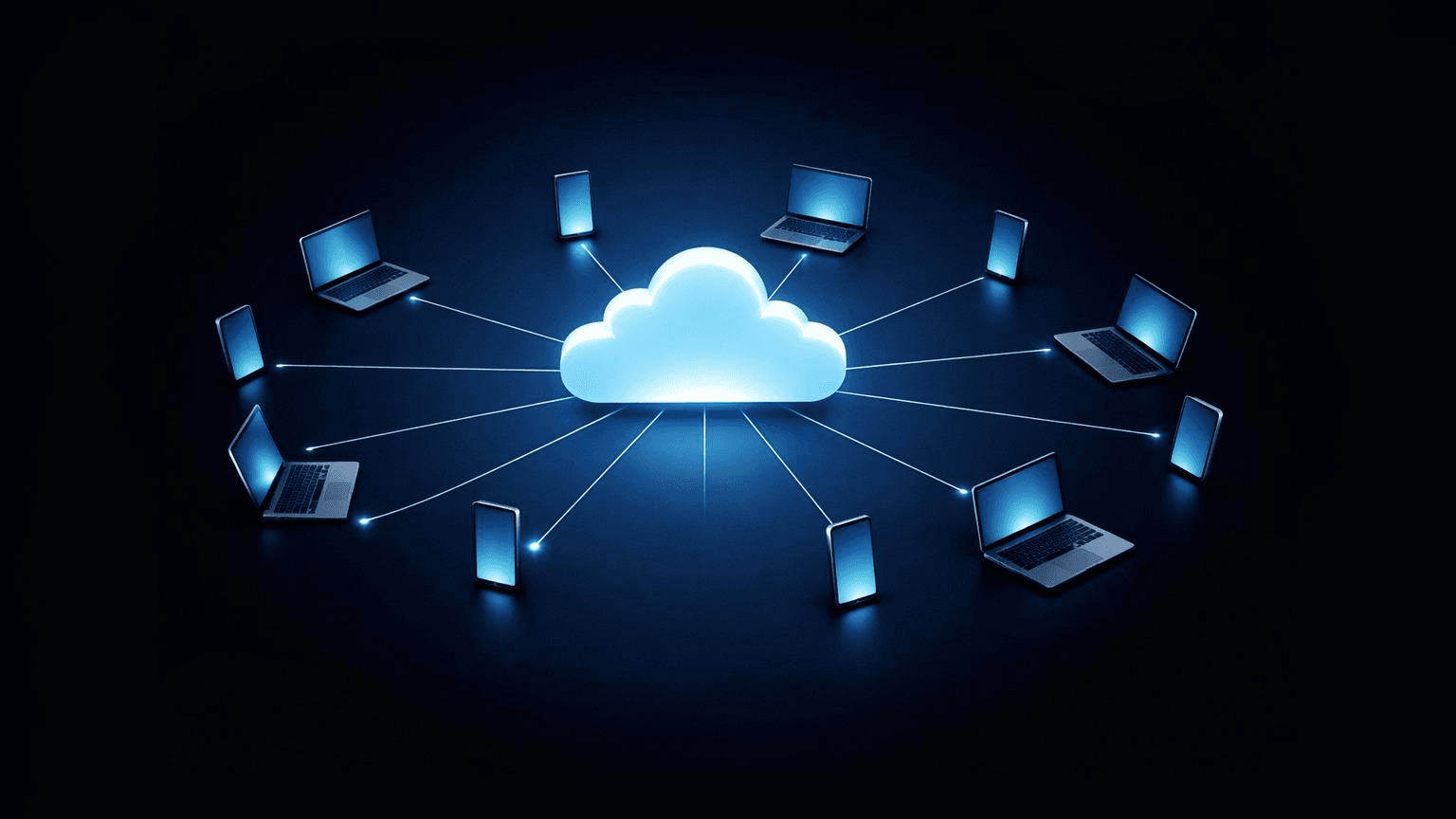
How Does Cloud Computing Benefit Youth-Led Projects? (A Practical Guide)
Cloud computing helps youth-led projects by removing traditional barriers like high upfront costs and technical complexity. Young teams gain immediate access to professional-grade tools through pay-as-you-go pricing, enabling real-time collaboration across locations without expensive hardware.
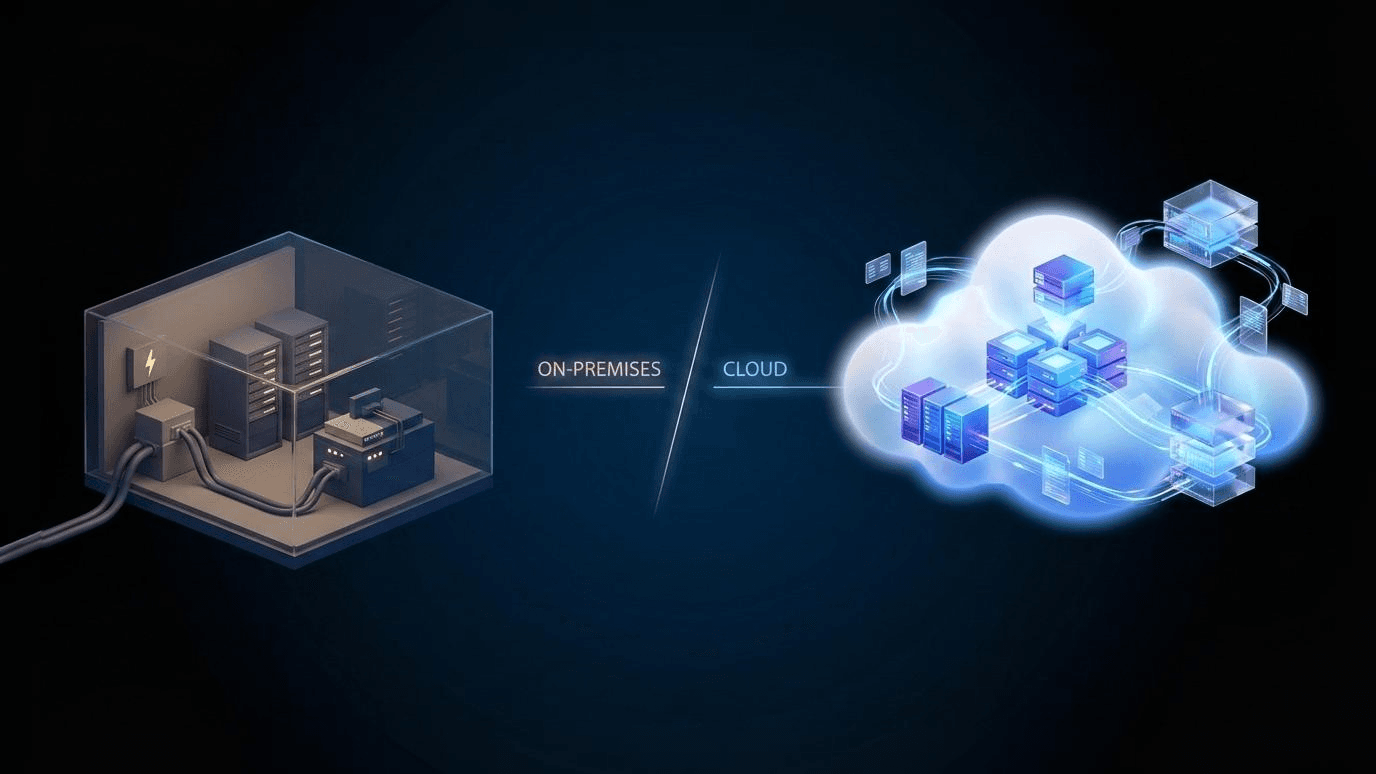
How Is Cloud Computing Different From Traditional IT Infrastructure?
Cloud computing delivers computing resources—servers, storage, and software—over the internet on demand. You don’t own the hardware; you rent what you need and scale usage up or down as required. Traditional IT infrastructure relies on physical servers and systems that a business owns, hosts on-site or in a private data center, and manages internally.
Showing 3 of 4 posts