Overview
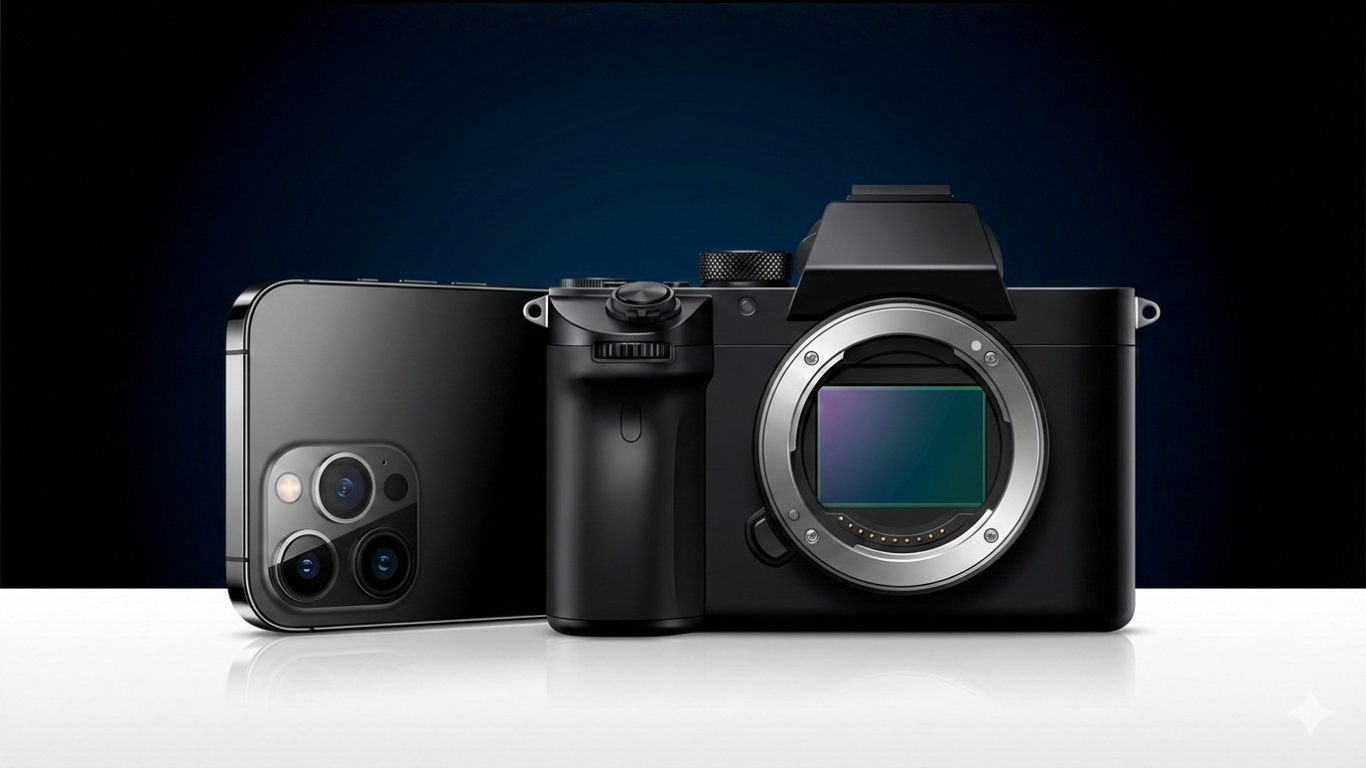
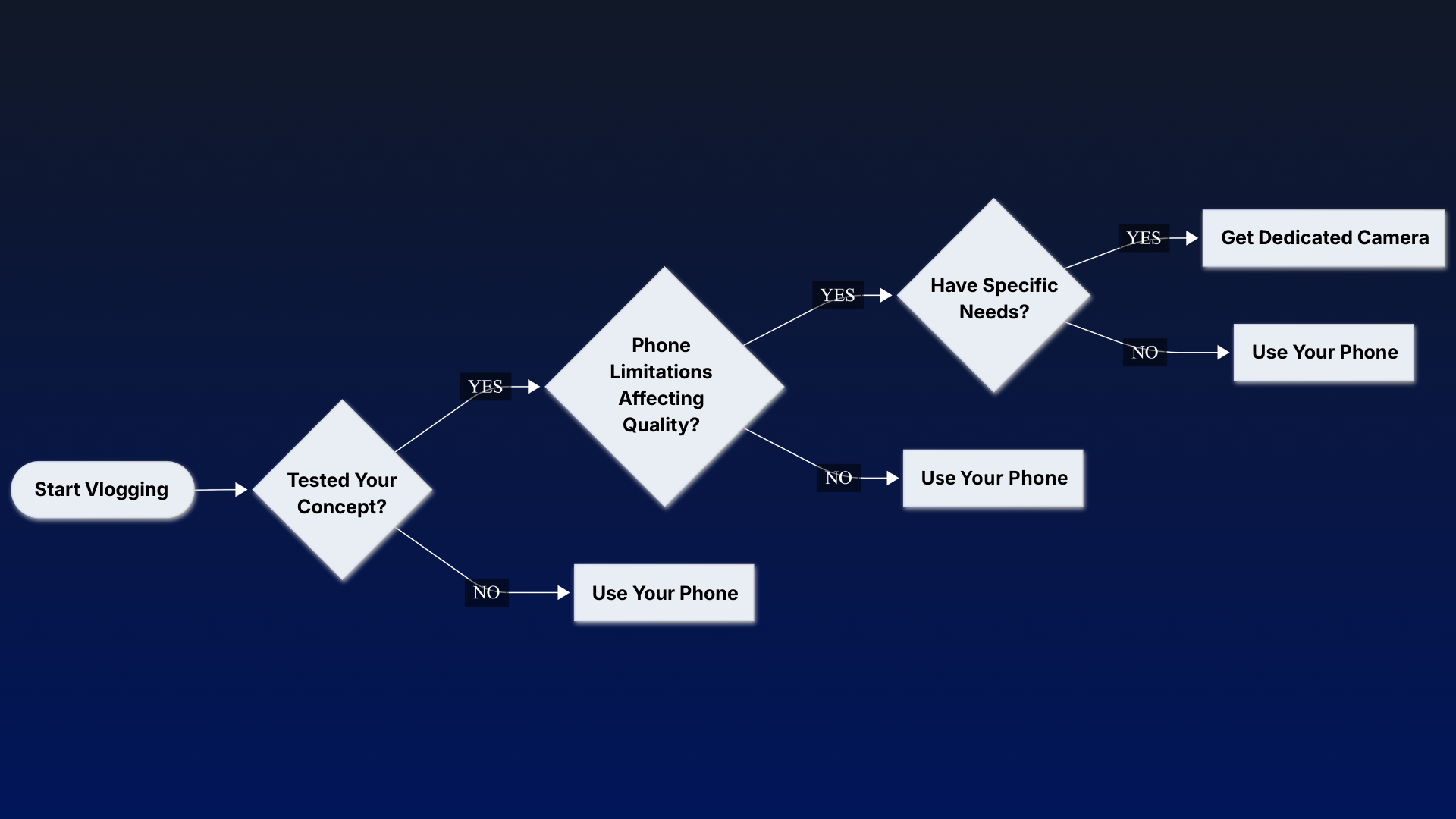
No, you don't need a dedicated camera to start vlogging. Your smartphone's camera quality is sufficient for beginners to create engaging content and test your vlogging concept. Upgrade to a dedicated camera only after you've proven your content works and identified specific limitations your phone can't overcome.
The smartest move? Start with what you already have. Most flagship phones in 2026 feature high-resolution sensors with advanced stabilization—more than enough to learn storytelling, pacing, and what your audience actually wants to watch.
Starting Without a Dedicated Camera
Modern smartphones pack serious imaging power. The Vivo Y29 5G features a 300MP sensor with optical image stabilization, while the Samsung Galaxy S26 Ultra uses advanced anti-reflective coatings for cleaner footage. These aren't budget compromises—they're legitimate tools for content creation.
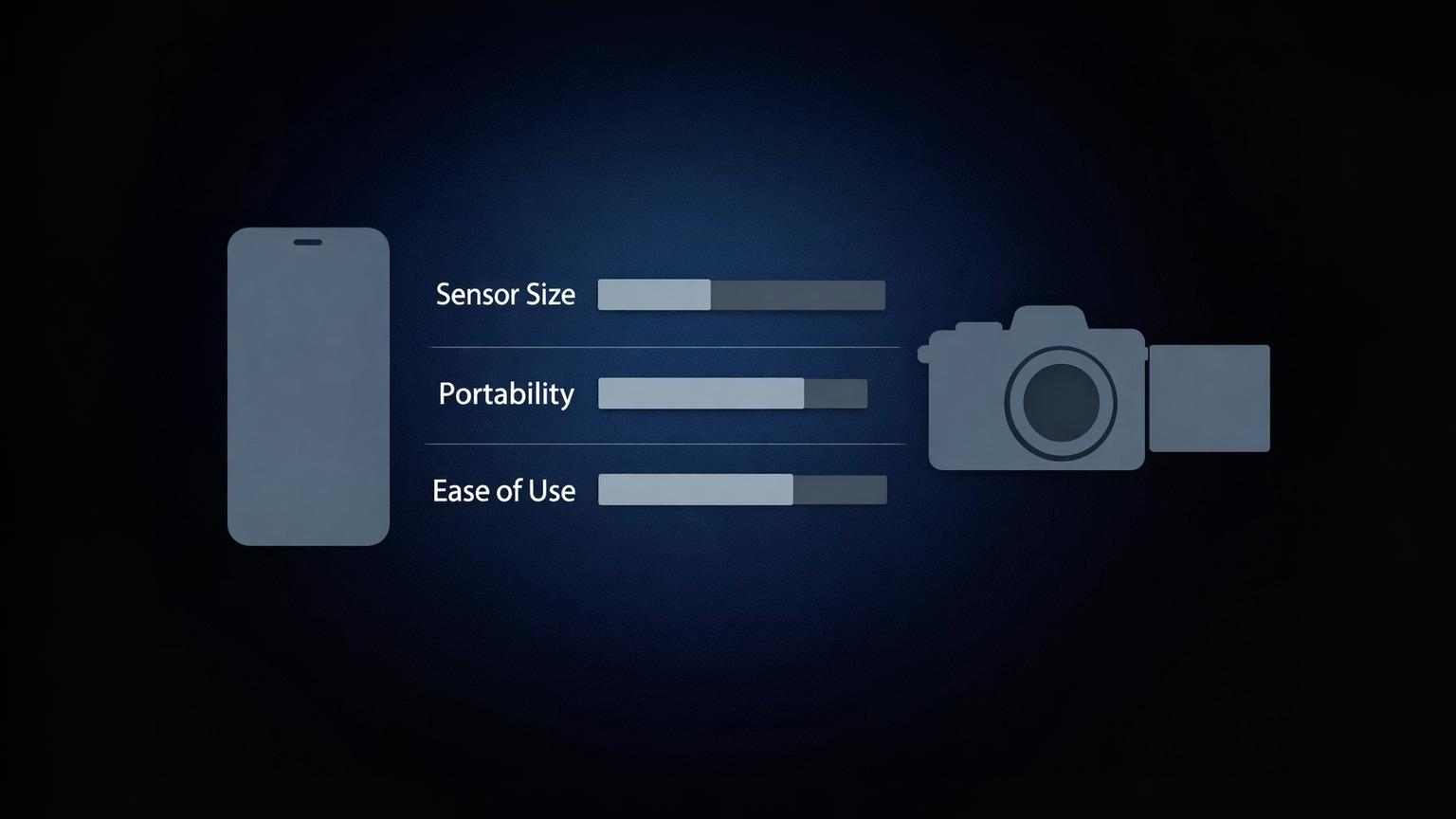
The quality gap between phones and cameras has narrowed dramatically. While dedicated cameras still hold advantages in sensor size and manual control, your phone handles 90% of basic vlogging scenarios: good lighting, stationary shots, and indoor content.
Your phone works best when you're filming in well-lit environments, keeping shots relatively static, and uploading directly to mobile-first platforms like Instagram Reels or TikTok. The computational photography built into 2026 smartphones automatically handles color correction, exposure balancing, and even subject tracking—features that used to require expensive gear.
For many beginners, choosing where to publish and experiment with content is a more important first step than investing in dedicated vlogging equipment. Platforms that remove technical barriers can help creators focus on consistency and learning rather than setup.
Signs You Actually Need One
You'll know it's time to upgrade when your phone's limitations start affecting your content quality, not just your ego.
Lighting control becomes critical when you're shooting in mixed lighting or low-light conditions. Phones struggle with harsh shadows and can't capture the same dynamic range as larger sensors. If you're constantly fighting with exposure or your footage looks grainy after sunset, that's a hardware problem.
Zoom quality issues appear when you need tighter shots or want to compress the background. Phones use digital zoom or switch between different fixed lenses, which causes noticeable quality drops and color shifts. A dedicated vlogging camera setup for beginners with interchangeable lenses solves this cleanly.
Autofocus problems emerge during walk-and-talk segments or when you're moving around your frame. Phone autofocus hunts between subjects and can't anticipate your movements the way dedicated cameras with advanced tracking can.
Low-light performance needs become apparent if you vlog outdoors after dark, in dimly lit cafes, or during events. The physics are simple: larger sensors collect more light. A phone's tiny sensor, no matter how many megapixels it claims, can't match the light-gathering capability of a full-frame or APS-C sensor.
What Changes With a Camera
A dedicated camera gives you control over the visual language of your content in ways a phone simply can't replicate.
Depth of field control lets you blur backgrounds naturally, separating yourself from distracting elements and creating that "professional" look viewers associate with higher production value. This is optical physics, not software trickery—it comes from larger sensors and wider aperture lenses.
Manual settings access means you can lock exposure, adjust shutter speed for motion blur, and fine-tune ISO for specific lighting conditions. Phones offer some manual controls, but they're limited by automatic systems that override your choices when the algorithm thinks it knows better.
Battery life difference is massive during long recording sessions. Phones overheat and throttle after 15-20 minutes of continuous 4K recording. Dedicated cameras, engineered with proper cooling systems, can record for hours without interruption—limited only by storage and battery capacity.
Audio input options transform your sound quality. External microphone support through hot shoe mounts or XLR inputs lets you use professional mics that isolate your voice and reject background noise. Phone audio, even with adapters, can't match the clarity and control of a camera with proper audio inputs.
Budget Alternatives First
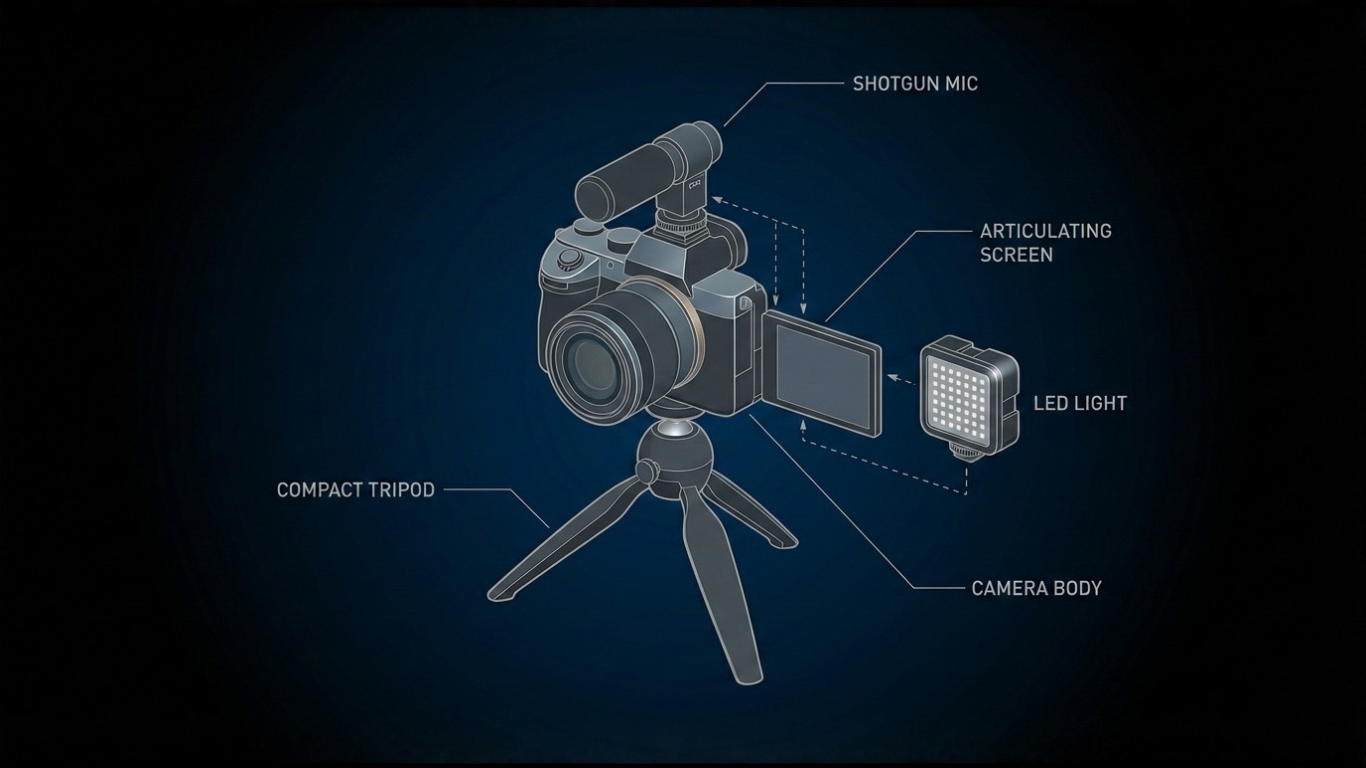
Before dropping money on a camera body, invest in accessories that immediately improve what you're already using.
A phone gimbal eliminates shaky footage and enables smooth movement shots that look cinematic. This single upgrade makes your existing phone footage dramatically more watchable. Models like the DJI Osmo Mobile series offer motorized stabilization and subject tracking for under $150.
An external mic should be your top priority. Audio quality matters more than video resolution for viewer retention—people will tolerate slightly soft footage, but they'll click away from muddy audio instantly. Wireless lavalier systems like the DJI Mic 2 clip onto your shirt and capture clean sound from several meters away.
A lighting kit solves most "my footage looks bad" complaints. Two softbox lights eliminate shadows on your face and give your phone's sensor the light it needs to produce clean, colorful images. Proper lighting makes a $500 phone look better than a $3,000 camera in darkness.
A tripod provides stability and consistent framing. It also frees you from holding your phone, letting you gesture naturally and maintain eye contact with the lens. A basic tripod costs $30 and works with phones and cameras alike.
These accessories cost less than a budget vlogging camera for beginners and deliver immediate, visible improvements to your existing setup. They're also transferable—when you do upgrade to a dedicated camera, your mics, lights, and tripod come with you.
Decision Framework
Choose your gear based on where you actually are, not where you want to be in six months.
Content type matters most. Talking head videos in a home studio? Your phone handles this perfectly. Product reviews requiring macro shots and shallow depth of field? You need interchangeable lenses. Adventure vlogging with extreme conditions? A rugged action camera beats both options.
Budget allocation logic says spend money solving actual problems, not theoretical ones. If your audio is terrible, buying a $1,500 camera doesn't fix that—a $150 microphone does. Allocate budget to your biggest bottleneck first.
Skill level consideration is real. Learning manual exposure, focus pulling, and color grading takes time. If you're still figuring out basic composition and storytelling, adding complex gear just creates more variables to manage. Master the fundamentals on simple tools first.
Channel growth stage determines your ceiling. First 1,000 subscribers? Phone is fine. Building a professional brand with sponsors and consistent uploads? The production quality gap becomes noticeable to your audience, and a dedicated camera becomes a business investment, not a hobby expense.
Common Mistakes
Buying a camera before testing your concept is the classic mistake. You don't know what you'll actually film until you've filmed it. Starting with your phone lets you discover your style, your format, and whether you even enjoy vlogging before committing thousands of dollars.
Ignoring audio quality while obsessing over 4K resolution is backwards. Viewers forgive imperfect video if the content is engaging and they can hear you clearly. They don't forgive content they can't understand, no matter how sharp the image.
Overbuying features you'll never use happens when you buy based on specs rather than needs. That 8K capability sounds impressive until you realize you're uploading 1080p to Instagram. Buy for the features you'll use today, not the ones that sound cool.
Skipping your phone's potential because you think "real creators use cameras" is limiting. Professional creators use phones for b-roll, social content, and spontaneous moments all the time. Your phone is a legitimate tool—the limitation is often the creator's mindset, not the hardware.
Frequently Asked Questions (FAQ)
1. Can I vlog with just my phone
Yes. Modern flagship phones produce broadcast-quality footage in good lighting conditions. Pair your phone with an external microphone and basic lighting, and you have everything needed for professional-looking vlogs. The quality ceiling is higher than you think.
2. What matters more than camera quality?
Audio clarity, consistent lighting, and compelling content. A viewer will sit through average video quality if they can hear you perfectly and you're saying something interesting. They won't tolerate great video with terrible audio or boring content shot on expensive gear.
3. When should I upgrade from my phone?
Upgrade when your phone's limitations are costing you viewers or opportunities. If sponsors are asking for higher production value, if you're shooting in conditions where your phone struggles, or if you've identified specific features you need—then it's time. Not before.
4. Do professional vloggers use phones?
Yes, for specific scenarios. Many professional creators use phones for Instagram Stories, quick social updates, behind-the-scenes content, and b-roll. The difference is they know when to use each tool strategically, not that they've abandoned phones entirely.
Final Summary
Your phone is a sufficient starting point for vlogging in 2026. Invest in a dedicated camera only after you've proven your content works and identified specific needs your phone can't meet.
Content quality beats gear quality every time. Master storytelling, pacing, and audience engagement first—then let your actual limitations guide your equipment choices.
Start creating today with what you have. The best camera for vlogging is the one you'll actually use consistently.
Published by URX Media, a platform focused on learning and explaining digital marketing, business and technology concepts through simple, accurate breakdowns.
📚Related Articles

How to Promote Your Blog Without Social Media: 12 Proven Methods
Discover practical, sustainable methods to drive traffic and grow your blog audience without relying on social platforms like Instagram, Facebook, or TikTok.

Can You Actually Make Money on Reddit?
Yes, you can make money on Reddit through official programs and community participation, but it requires genuine engagement, meeting eligibility requirements, and understanding platform-specific rules.

Showing 3 of 4 posts